Ledgerline covers the practical work of buying enterprise AI: choosing a platform, comparing what the quote includes and deciding who will keep it running. Last updated:
Copilot Studio makes sense for a team that plans to build within Microsoft’s existing identity, administration and release tools. The buying question is who will configure and run those tools for this process.1,6,2This is our reading of the cited material for a buyer with this need. We have not measured the product’s performance.
Best for
Internal builders with a Microsoft administration team supporting them.
Avoid when
Your essential sources or publishing channel have not been checked against the proposed license and its limits.
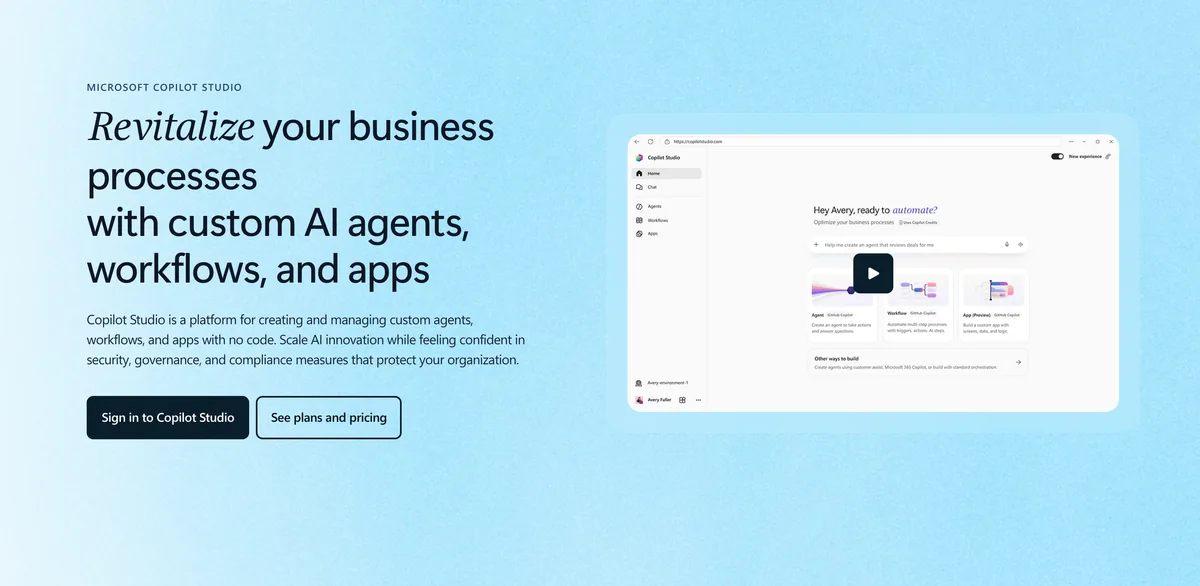
Microsoft describes Copilot Studio in three ways, and the differences are informative for a buyer. The product page calls it a platform for creating and managing custom agents, workflows and apps with no code10. The documentation calls it a graphical, low-code studio for building and managing AI-powered agents and workflows11. The frequently asked questions call it an end-to-end conversational AI platform12. Read together, these descriptions place the product between a business tool and a development environment, and much of this assessment turns on how far a given team can stay on the no-code side of that line.
The product also has a history that some buyers will recognise. What was formerly known as Microsoft Power Virtual Agents is now included in Copilot Studio13, so an organisation that knows the earlier name should look for it here. Microsoft also names the responsible AI principles it applies to generative AI in the product: fairness, reliability and safety, privacy and security, transparency, inclusiveness, and accountability14.
Every statement about the product below comes from Microsoft's own public pages, checked on 8 November 2026, and each one carries a source number. That evidence base has a consequence worth stating at the start. It shows what the vendor documents and claims, and it contains no field measurement of how the product behaves inside a particular company. Adoption figures and customer stories are marked as published by Microsoft and should be weighed accordingly. The product page says that 90 percent of the Fortune 500 has used Copilot Studio15. We did not verify that figure against any other source, and the wording says nothing about how deeply those companies use it.
What the product is
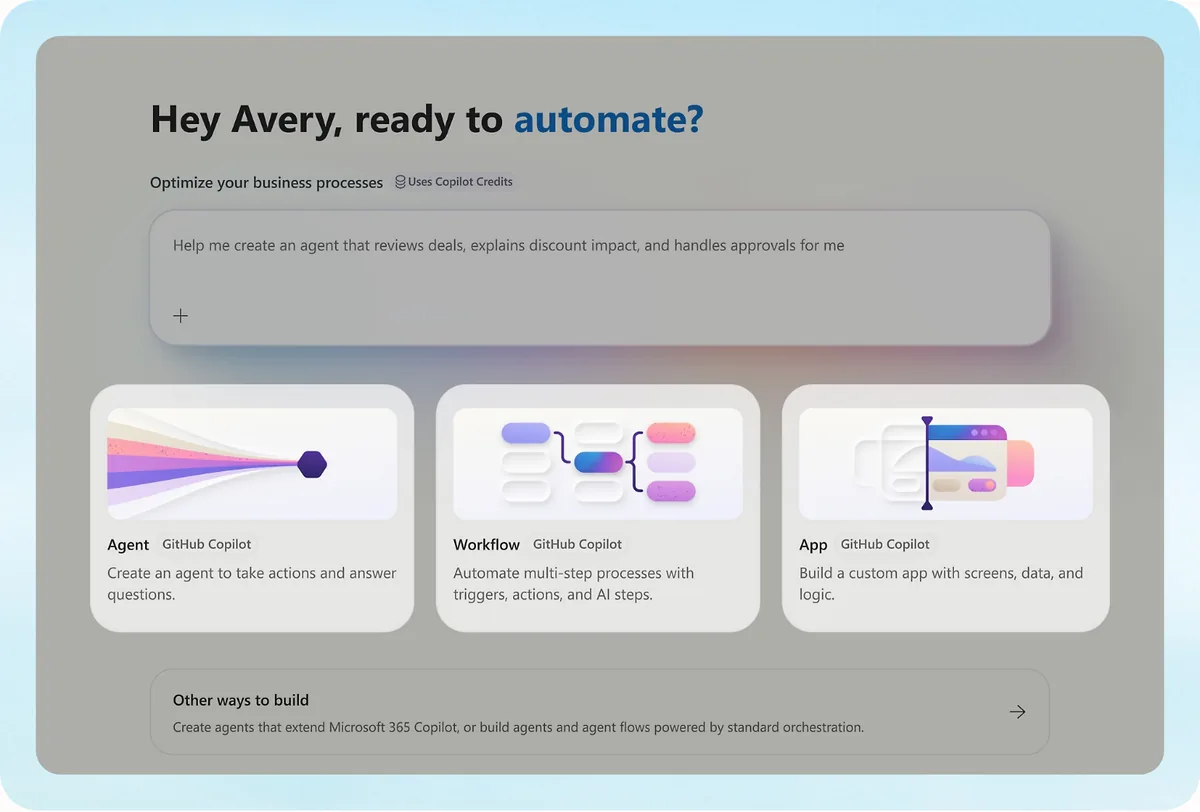
The documentation works with two basic objects. An agent is an AI assistant that handles conversations and completes tasks16. A workflow is an automation built with a drag-and-drop designer17. Agent flows use an authoring experience similar to Power Automate while remaining native to Copilot Studio18, so a team with Power Automate experience has a plausible starting point, and a pilot can show how much of that experience carries over.
Everything built in the product runs on a harness, and Microsoft offers three of them19. Two deserve particular attention from an enterprise buyer. In the standard harness, the agent uses natural language understanding to match a request to the best topic20. The Customer Conversation harness can escalate the conversation to a human representative through a defined path21, which matters wherever an agent stands in front of customers and a handover has to be predictable. Beside these sits a coded route: Azure Bot Service skills are a code-based way to extend the capabilities of an agent in the standard harness22. The no-code description is therefore accurate as a starting point, and teams with engineers have somewhere to go when a requirement outgrows it.
There is also a more goal-led way into the product. A user can describe the business goal, and Copilot Studio determines the right combination of agents and workflows to solve it23. For work that spans several agents, agents from Microsoft or from partner providers can be connected to work together24. The product page also describes chat or voice agents that answer questions and guide workflows with natural language25, which widens the range of interfaces a single build programme can cover.
On models, the product page refers to the 11K+ models available through Azure AI Foundry26. That is a broad catalogue on paper, and the route it names is Azure AI Foundry. A buyer who cares about model choice for procurement reasons should ask which of those models can serve the intended agent and on which commercial terms.
Implementation: a self-service build path
Getting started is simple by design. Copilot Studio is available as a standalone web app at copilotstudio.microsoft.com27, and the browser requirement is stated as a minimum version, for example Microsoft Edge version 122 or more recent28. An agent can be created by describing it in plain language and then tested before it is published29. The authoring guide repeats the point, saying that makers can describe what they want the agent to do in their own words30.
The quickstart gives this step some concrete shape. The description can have up to 1,024 characters31, and from it the AI generates the name, description and instructions for the agent32. Makers can then try the result in the test chat panel33, and the quickstart finishes by publishing the agent to a live or demo website34. A team should treat the two destinations differently, because the demo website is not intended for production use35.
Two operational details belong in any rollout plan. The latest published content only becomes available after a new session starts36, so a corrected answer may take time to reach a user who is already in a conversation. Network teams also have work to do, because Microsoft asks customers to make sure their network does not block the services Copilot Studio connects to37. In a company with strict outbound rules, that review is better started before the first build than after it.
Quality control is part of the documented path. After the build, Microsoft lists tools for monitoring, evaluation and administration, including the ability to validate quality with test sets and a shared grader library before and after publishing38. Promotion between environments is also covered, through release pipelines, approval gates and guided environment-to-environment promotion2. Together these give a software team familiar controls for treating an agent like any other release.
Microsoft names business users, IT leaders and developers as the groups involved in rolling out the product39. The pages used here describe the tooling those groups work with. They are the basis for this section, and this article makes no claim about partner or consulting services, because the material gathered for it does not cover them. On time to production, the one data point is a customer story published by Microsoft, which says Amgen built an agent in six weeks40. It is a single vendor-selected case and should be read as an example.
Integrations, channels and knowledge
The headline number is 1500+ pre-built data connectors, offered alongside MCP servers41. For a company with common enterprise software this breadth is a real strength, and support for MCP servers gives engineering teams a further way to connect tools. The number is Microsoft's own, so a buyer with a specific legacy system should confirm that system by name before relying on the total.
Publishing covers a wide range of surfaces. The channels named in the documentation are live websites, mobile apps, Microsoft Copilot and messaging platforms such as Teams and Facebook42, and the product page repeats that agents can be published anywhere, including Microsoft Copilot43. Azure Bot Service channels are a separate publishing path that needs developer coding44, so a channel outside the standard list should be costed as engineering work.
Knowledge is where the product's position inside the Microsoft estate shows most clearly. Agents can use enterprise data from Power Platform, Dynamics 365, websites and external systems45. Microsoft Copilot connectors, where organisational data is indexed by Microsoft Search, are a further option46. With agent-user authentication, the agent only surfaces content that the specific user can access7, which is the behaviour a security team will want to see confirmed in testing. A company whose documents already live in these systems starts with less connection work than one whose knowledge sits elsewhere, and the second kind of company should test its own sources early.
Security, certifications and data
The security documentation lists geographic data residency, data loss prevention, multiple standards certifications, regulatory compliance and environment routing among the available controls47. The product follows the Security Development Lifecycle48. Identity protection relies on Microsoft Entra ID, Microsoft Defender and conditional access policies49. Commercial license terms, namely the Product Terms and the Data Protection Addendum, govern the service50.
The names of individual certifications are not publicly stated on the pages we opened. The security page points to a separate compliance offerings page51 and names the Microsoft Trust Center as the primary resource for compliance information52. A buyer who needs a specific certificate should obtain it from those resources and check that it covers the service and region in question.
Two controls will interest security teams in regulated industries. Administrators can enable customer-managed encryption keys for their Copilot Studio environments53. Copilot Studio also supports secure access to customer data using Customer Lockbox54, with one reservation that Microsoft states itself: two categories of outbound data are excluded from Lockbox coverage55. Anyone relying on Lockbox in a risk assessment should read that passage in full.
On data location, Microsoft says the product supports data residency alignment and major compliance standards56, and administrators can disable data movement across geographic locations for generative AI features outside the United States57. Copilot Studio is available in the US Government Community Cloud plan58, which is relevant for American public sector buyers. Microsoft also gathers telemetry that helps it respond to editing issues59, a point for the data protection officer's review.
Governance and control
Governance is detailed in the public documentation60,61. Administrators use data policies in the Power Platform admin center to govern the use and availability of Copilot Studio features60. From the same place they can turn off the ability to publish agents62. They can also control which channels are available to agents63, and role-based access can be set according to environment groups and routing policies64.
For visibility, Microsoft names its own tools. Administrators have full visibility into maker audit logs in Microsoft Purview61, and they can monitor and receive alerts on agent activities through Microsoft Sentinel65. Microsoft Agent 365 is described as a central control plane to observe, govern and secure Copilot Studio agents66. Before publishing, makers can review continuously updated risk findings67.
Spending can be governed too, since administrators can set pay-as-you-go Copilot credit caps68. In a programme where many departments build their own agents, such a cap is a practical safeguard.
Authentication deserves a specific check during rollout. The Authenticate with Microsoft option is turned on by default for agents69, which is a sensible default. A maker who selects No authentication allows anyone who has the link to chat and interact with the agent70. That option has legitimate public uses, and it also means that an administrator should know which agents are configured this way.
Pricing and commercial terms
Pricing is published, which makes early budgeting easier. Copilot Studio is sold as tenant-wide packs of 25,000 Copilot Credits71, listed at $200.00 per pack per month72. A pay-as-you-go meter is also available with no upfront commitment73. Microsoft says there are no in-product feature or capability differences between the pack and the meter74, so the choice between them is purely financial. An Azure subscription is required to use agents on the listed plans75, and an up-front purchase of Copilot Credit Commit Units can save up to 20 percent76.
Existing Microsoft customers should check what they already own. For users licensed for Microsoft 365 Copilot, usage of agents published to Microsoft 365 Copilot is included in the license77. The Copilot Studio for Teams plan is part of select Microsoft 365 subscriptions78, and a standalone subscription can be obtained from the Microsoft 365 admin center79.
There are several routes to an evaluation. A new free Azure account receives a $200.00 credit that can be used to create agents or for other Azure services80. When the free trial expires it can be extended by 30 days81, and a trial agent continues to work for up to 90 days after expiry82. The plan text on the product page also includes the notice that the product is not available in your market83, so a buyer should confirm availability for each country in scope. Because usage is billed in credits, the real cost of an agent depends on how much it does, and a buyer should model expected volumes during the pilot.
Where Copilot Studio fits
The product suits organisations that want business users, IT leaders and developers working in one environment39. Microsoft's published examples cover several departments: a balance sheet reconciliation agent in finance84, a recruitment assistant agent in human resources85, an IT support agent86 and an automated contract review agent in legal87. On the customer engagement side, Microsoft publishes the story of Virgin Money, which it says transformed customer experiences with an AI assistant built using Copilot Studio88. These are vendor examples and show intended uses. They do not show results a buyer can expect.
The fit is strongest where the data and the identity system already sit with Microsoft, because the connector option46, the identity controls49 and the audit tools61,65 named above are Microsoft services. A company that wants non-technical staff to build agents under central IT control will find the documented administration features directly relevant.
Where it falls short
Microsoft documents its limits openly, and that candour helps planning. Quotas are default constraints that limit how often agents can receive messages89. In the Copilot Studio web app and in the Teams app, each individual model response stream has a five-minute timeout90, which matters for long generative tasks. On the Teams plan, the quota table enforces a service limit on sessions per user91, and that plan does not include Azure Bot Service skills92. A team that starts on the Teams plan should check these two points before it scales.
The knowledge limits deserve the closest reading, especially for a company with large document estates. Each agent can have a maximum of 25 SharePoint site URLs when it uses generative orchestration93. Where the tenant has no Microsoft 365 Copilot license, generative answers can only use SharePoint files under 7 MB4. SharePoint list queries only return data from the first 2,048 rows94. For OneDrive as an unstructured source, each source is capped on files, folders and levels of subfolders95, and documents with sensitivity labels of confidential or highly confidential cannot be indexed5. That last point can be significant in legal or finance work, where the most useful documents may carry those labels.
Orchestration brings its own conditions. With more than 25 different knowledge sources, generative orchestration filters them using an internal model96, and it does not support custom data or Bing Custom Search as knowledge sources97. In Microsoft Teams, a response shows at most 20 citations98. With ungrounded responses turned off, the agent blocks any response generated in a turn where it did not use a knowledge source or tool99. This is a useful safety setting, and it also means testers should expect blocked answers. Supported languages are set out in a list on the product page100, which is worth reading for a multilingual rollout.
Verdict
Copilot Studio is a broad offering for a company already working on Microsoft infrastructure. Its strengths on the public record are breadth of connectors41, a wide set of publishing channels42, published list prices72 and detailed administrative controls tied to tools such as Purview and Sentinel61,65. Its limits are also on the record, and they concentrate in knowledge handling, where file size, source count and sensitivity labels93,4,5 can shape what an agent can actually answer. The gap a buyer should close first is certification detail, since individual names are not publicly stated on the pages we opened and must be taken from the compliance resources Microsoft points to51,52.
For a practical evaluation, bring a representative SharePoint corpus, include files with the sensitivity labels your team uses, and test the intended publishing channel. Check the license and credit assumptions against that same workload before comparing the quote with another platform.
What buyers should test
We distinguish dated supplier documents, direct company confirmations and our own analysis. Documentation tells us what a supplier says; it does not prove how the product performs. Where the evidence leaves a question unanswered, we explain what your buying team still needs to ask.
Help with the build
Partly documented
Microsoft documents a graphical, low-code studio and release pipelines with approval gates.1,2This is the supplier’s statement in material checked November 8, 2026. We have not tested it ourselves.
Evidence
Will your own builders, a services team or a partner handle design, daily operation and incidents?
Ask who handles discovery, setup, testing, support and changes, and what your team must have ready first.
Your existing systems
Partly documented
Microsoft lists prebuilt connectors. Its knowledge documentation also sets conditions for the sources and files that can be used.3,4,5This is the supplier’s statement in material checked November 8, 2026. We have not tested it ourselves.
Evidence
Will your documents work in the chosen setup, including large files and those with sensitivity labels?
Ask to see the records and actions you need. Check sign-in, permissions, limits, custom work and who maintains each connection.
Checks you can see
Documented
Copilot Studio integrates with Entra ID and Purview. Microsoft says authenticated users receive knowledge answers only from content they can access.6,7This is the supplier’s statement in material checked November 8, 2026. We have not tested it ourselves.
Evidence
Can an administrator show channel restrictions, release approval and refused access in your tenant?
Request evidence for the exact product. Ask to see access refused, approval requested, permission removed and the resulting action traced.
Where your data goes
Partly documented
Microsoft describes data residency alignment for Copilot Studio.6This is the supplier’s statement in material checked November 8, 2026. We have not tested it ourselves.
Evidence
Which environment region, model-processing exceptions, log locations and data terms apply to your setup?
Request a diagram of the data’s route, with hosting regions, model providers, retention rules and who gets access.
The full cost
Partly documented
Microsoft offers credit-based and pay-as-you-go purchasing. Publishing to outside channels requires a standalone Copilot Studio plan.8,9This is the supplier’s statement in material checked November 8, 2026. We have not tested it ourselves.
Evidence
Which licenses you already hold count, and what does the full workflow consume during normal and peak use?
Ask for an itemized proposal covering setup, software, usage, support, your own staff’s work, changes and what you receive when the service ends.
Microsoft 365 Copilot add-on is $30 per user per month paid yearly; Copilot Studio is $200 license, pre-purchase or pay-as-you-go. microsoft.com/en-us/copilot/pricing/copilot-studio, checked November 8, 2026.